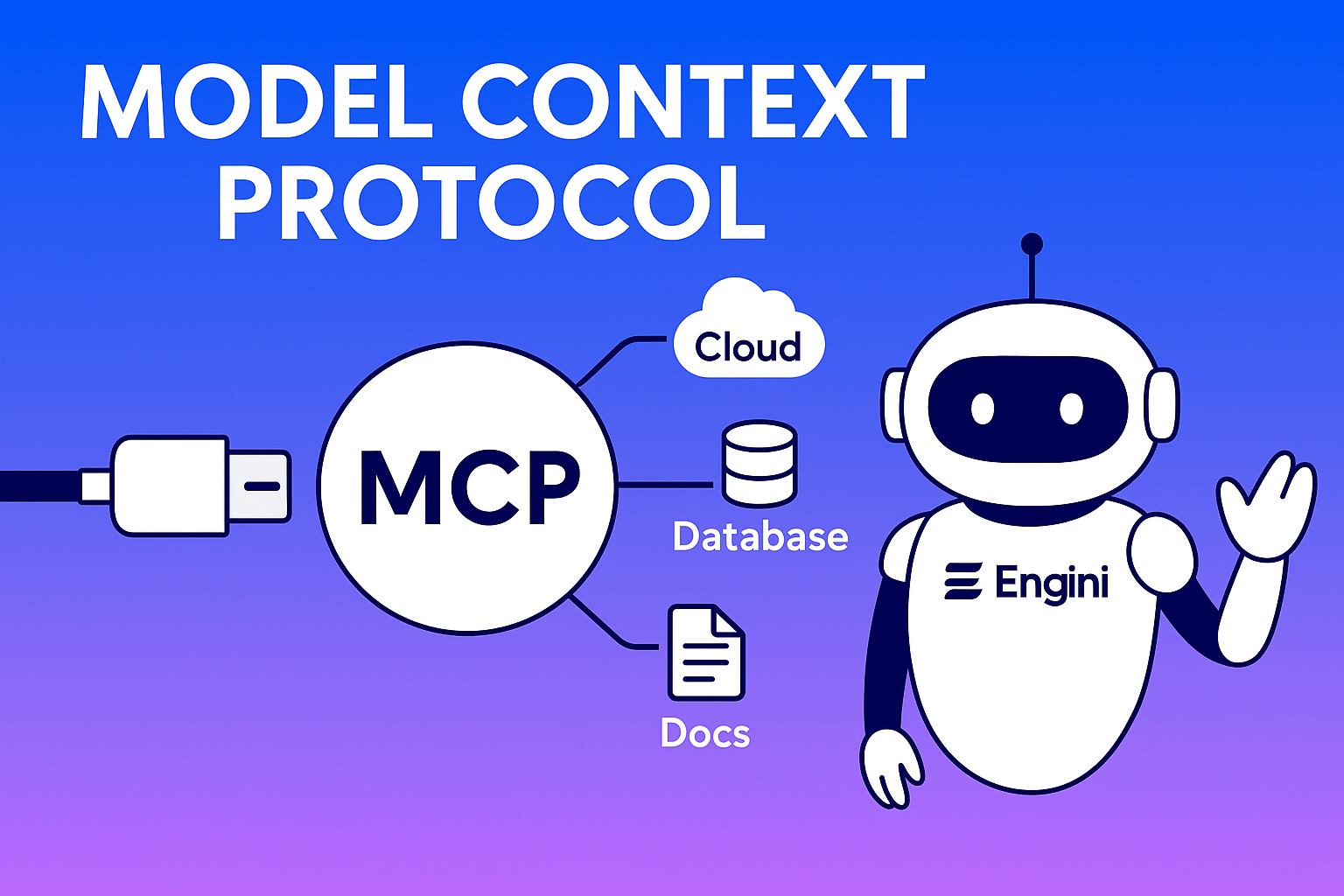
Model Context Protocol (MCP): The Universal Bridge for AI Agents to Tools & Data
In the rapidly evolving landscape of generative AI, one of the most nagging challenges is how to safely and seamlessly connect models (LLMs / agents) to external systems such as APIs, databases, and legacy services. Every integration tends to become bespoke, brittle, and difficult to maintain.
Enter Model Context Protocol (MCP), an open standard designed to act like a “USB-C port for AI,” enabling modular, discoverable, and secure interactions between AI applications and external tools or datasets. Originally developed by Anthropic, MCP is gaining adoption across major platforms like Microsoft Copilot, AWS, and developer tool ecosystems.
In this article, we’ll explore what MCP is, why it matters, how it works, its benefits and tradeoffs, and how you can start adopting it in your AI applications.
What Is MCP? Definition & Motivation
A Protocol to Standardize AI Context Integration
At its core, the Model Context Protocol (MCP) is an open, vendor-neutral standard that defines how AI agents (or LLM-based applications) can integrate with external resources such as APIs, data, and tools in a consistent, two-way, safe manner.
Whereas many systems today use ad hoc APIs, SDKs, or function calling, MCP provides a formal client-server architecture with primitives for tools, resources, and prompts.
Anthropic introduced MCP publicly in late 2024. Since then, the specification and ecosystem have evolved, with growing support from cloud providers and developer tools.
Why MCP Was Needed – The M×N Integration Problem
Before MCP, developers faced a combinatorial explosion: for M different AI agents and N different external systems, you needed up to M×N bespoke integrations. That was costly, error-prone, and hard to scale.
MCP instead turns this into nearly M+N: each AI application (client) implements MCP client support, and each external system (tool, data source, or server) implements an MCP server interface. Then all agents can “plug in” to those servers via the standard protocol.
In short, MCP makes AI tool connectivity modular, reusable, and interoperable.
MCP Architecture & Key Components
Core Roles: Host, Client, Server
Host (MCP Host): The AI application or interface users interact with-such as an agent UI, a chatbot frontend, or an IDE with embedded AI.
Client (MCP Client): A module inside the Host that communicates with a specific server using MCP (handshake, discovery, invocation).
Server (MCP Server): Wraps an external tool, data service, or system, exposing standardized interfaces (tools, resources, prompts) to clients via MCP.
Protocol Flow – From Discovery to Execution
- Handshake / Initialization: When the Host starts, it spins up MCP Clients that negotiate protocol version and capabilities.
- Discovery: The Client asks the Server what tools, resources, and prompts it offers.
- Context Provisioning: The Host (via Client) feeds resources, prompts, or tool definitions to the model context.
- Tool Invocation: The LLM issues an invocation request to a Server through the Client.
- Execution & Response: The Server performs the operation and returns the result.
- Completion & Integration: The Host integrates the result into the next LLM prompt or user interface.
Primitives: Tools, Resources, Prompts
Tools: Callable functions or operations such as sending an email or querying an API.
Resources: Read-only data objects such as files or documents.
Prompts: Predefined templates or instructions guiding tool usage.
Transport & Protocol Details
MCP currently uses JSON-RPC over HTTP or Server-Sent Events (SSE) for remote communication and stdio for local integrations. The specification is versioned and open, with canonical TypeScript schemas.
Why MCP Matters – Benefits & Use Cases
Benefits
- – Reduced Integration Overhead: Reusable connections replace bespoke adapters.
- – Interoperability & Composability: Different vendors’ agents can share MCP servers.
- – Secure Boundaries & Least Privilege: Servers define what tools and data are exposed.
- – Versioning & Discoverability: Clients can adapt dynamically as servers evolve.
- – Ecosystem Growth: Modular servers become shareable “plugins.”
- – Adaptive Agent Behavior: Agents choose tools contextually rather than through hardcoding.
Key Real-World Use Cases
- – AI in IDEs / Developer Tools: Code assistants can query build tools or project files.
- – Enterprise Knowledge Agents: Chatbots access internal databases securely.
- – Multi-Agent Orchestration: Agents coordinate through shared MCP services.
- – Plug-and-Play AI Extensions: Third-party vendors build ready-to-use connectors.
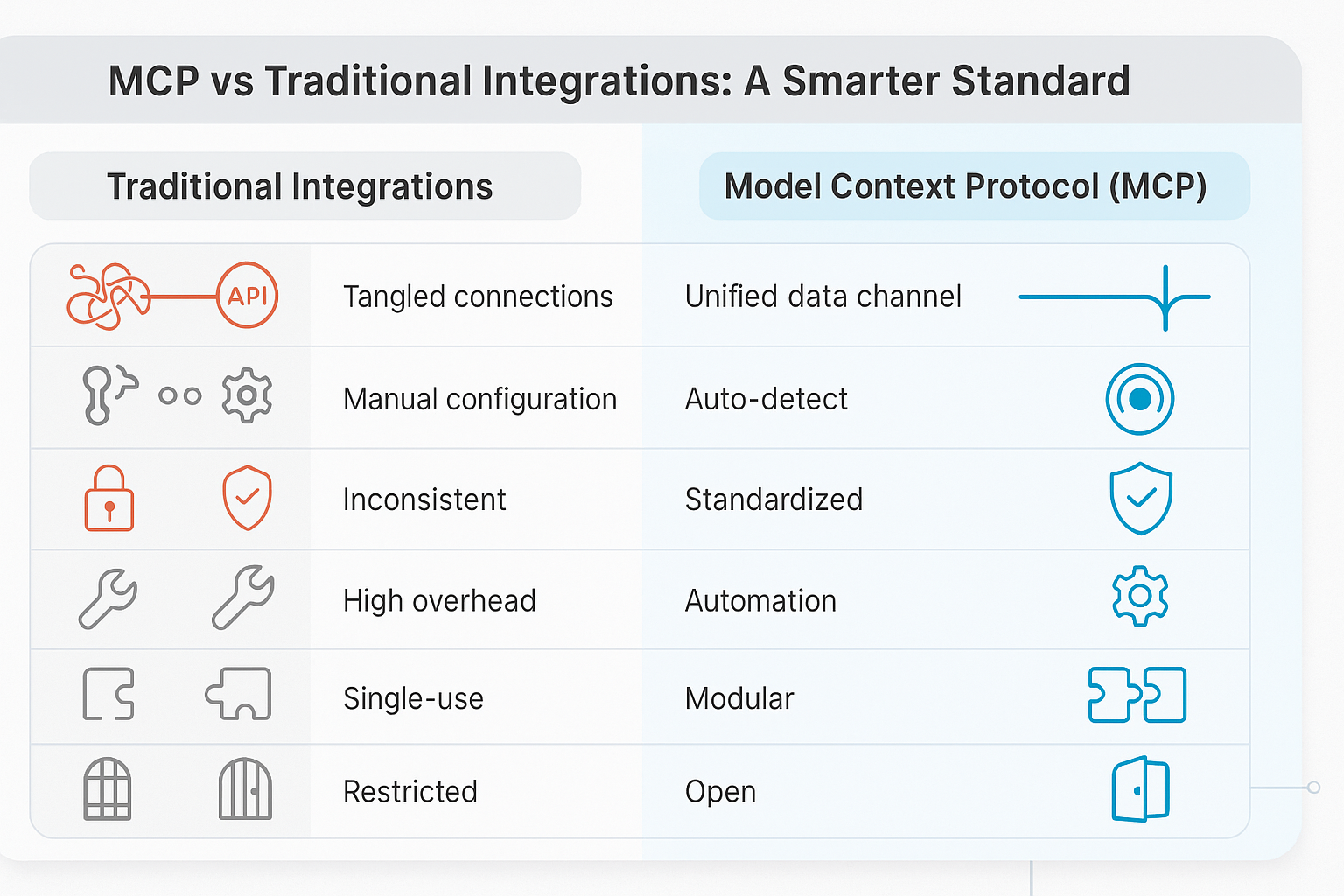
Engini: Real-World Implementation of MCP
At Engini, we have fully embraced the Model Context Protocol to power our next generation of AI automation systems. Engini’s architecture uses MCP to securely connect large language models to external APIs, CRMs, cloud storage, and business tools, without the need for custom integrations for each system.
By adopting MCP, Engini can dynamically discover and invoke enterprise tools through standardized MCP servers. This design enforces strict permission and context boundaries, minimizing data leakage and ensuring every action is traceable. Each tool call and prompt exchange can be monitored for auditability and compliance, which is essential for enterprise-grade environments. In practice, Engini’s approach allows the same MCP connectors to be reused across multiple AI agents, reducing integration time by more than 80 percent.
Engini’s implementation demonstrates how MCP transforms AI from a simple conversational assistant into a truly actionable and connected worker capable of operating securely within complex business ecosystems.
Security, Risks & Tradeoffs
While MCP is powerful, it introduces new risks that must be managed carefully.
- – Tool Poisoning & Injection Attacks: Malicious servers could expose unsafe functionality.
- – Excess Permissions: Over-permissive servers risk data leaks.
- – Authentication & Identity: Tokens and roles must be enforced properly.
- – Supply-Chain Risks: Compromised third-party servers can create systemic vulnerabilities.
- – Maintenance & Version Drift: Diverging versions can break compatibility.
Studies of open-source MCP servers show measurable vulnerability rates, emphasizing the need for sandboxing and version control. Microsoft’s Copilot ecosystem demonstrates secure implementation by enforcing user consent and minimal-privilege access.
How to Adopt MCP – A Developer’s Roadmap
- Understand the Spec & Ecosystem – Read the MCP documentation and explore available SDKs.
- Create an MCP Server – Wrap internal tools with MCP interfaces and apply permission controls.
- Integrate an MCP Client – Embed handshake and discovery logic into your host application.
- Enable Discovery & Dynamic Use – Allow agents to query capabilities and adapt at runtime.
- Test, Monitor, & Harden – Simulate attacks, audit tool use, and ensure version compatibility.
- Expand & Monetize – Package servers as connectors or contribute to open MCP registries.
With Engini AI Worker Powered by the MCP Engine
The Engini AI Worker is a production-ready implementation that shows the Model Context Protocol in action. Built on top of an MCP-compliant engine, it turns AI agents into secure, autonomous digital workers capable of interacting with any compatible tool or dataset.
How it works
- – MCP Host: Engini’s orchestration layer manages conversations, tasks, and multi-agent workflows.
- – MCP Client: Handles handshake, discovery, and invocation logic for connected servers.
- – MCP Servers: Wrap enterprise systems like Notion, Jira, Salesforce, and Slack, exposing them to AI workers through standardized MCP interfaces.
Key Advantages of Engini’s MCP Engine
- – Enterprise-grade security through role-based permissions, secure token handling, and isolated execution environments.
- – Extensible connectors that allow new tools to be added quickly as plug-and-play MCP servers.
- – Performance optimization through parallel invocation and caching to speed up task execution.
- – Composable workflows that let multiple Engini Workers collaborate using shared MCP resources.
Most AI agents today remain limited to text reasoning and information retrieval. Engini, powered by the MCP Engine, closes this gap by giving AI the ability to act intelligently and safely in real environments. It marks the shift from AI that only answers questions to AI that genuinely gets work done.
Challenges, Critiques & Future Directions
Common Limitations
MCP is still an emerging standard. Some protocol details and ecosystem tooling are immature. Fragmentation, performance overhead, and security complexity remain challenges.
Future Opportunities
- – Native OS Integration: Microsoft is embedding MCP support into Windows.
- – Agent-to-Agent Protocols: Future standards may enable peer-to-peer collaboration.
- – Cross-Agent Registries: Certified server registries will enable safer plugin sharing.
- – Automated Sandboxing: New runtime models could enforce stricter tool isolation.
Conclusion
The Model Context Protocol (MCP) is reshaping how AI agents integrate with external systems. By formalizing a client-server architecture with clearly defined primitives, it reduces complexity and enables modular ecosystems.
Engini’s adoption of MCP demonstrates this evolution in action. Through the Engini AI Worker and its MCP Engine, AI moves beyond static reasoning to become an active, reliable, and secure digital collaborator. For any organization building agentic AI systems, embracing MCP-and seeing it applied through Engini’s model-is a strategic step toward the future of interoperable AI.
Frequently Asked Questions (FAQ)
What is the Model Context Protocol (MCP)?
It is an open standard that allows AI agents to connect to external tools and data sources in a modular and secure way.
Why is MCP important for AI development?
MCP simplifies and standardizes integrations, making AI systems more interoperable and secure.
How does MCP work?
It uses a Host–Client–Server model with JSON-RPC communication to discover and invoke external tools.
What are the main components of MCP?
Tools, Resources, and Prompts define what the AI can execute, read, or use for context.
What are the main risks of MCP?
Security risks include tool poisoning, permission misuse, and third-party vulnerabilities.
Who uses MCP today?
MCP is supported by Anthropic, Microsoft, AWS, and a growing number of open-source developers.
How can developers start using MCP?
Review the specification, set up an MCP client and server, and follow best practices for security.
How does MCP compare to traditional APIs?
MCP standardizes discovery and invocation, unlike one-off custom APIs.
What’s next for MCP?
The roadmap includes streaming, sandboxing, and native platform integration.
How does Engini use the Model Context Protocol (MCP)?
Engini uses MCP as the foundation of its AI Worker framework. By standardizing how agents connect with APIs, tools, and databases, Engini enables secure, real-time automation across enterprise systems without custom integrations.
Like what you see? Share with a friend.
Itay Guttman
Co-founder & CEO at Engini.io
With 11 years in SaaS, I've built MillionVerifier and SAAS First. Passionate about SaaS, data, and AI. Let's connect if you share the same drive for success!
Share with your community


.png)
Comments