The MCP Connector in Engini allows AI tools to trigger workflows in Engini. It enables communication using the Model Context Protocol (MCP), allowing Engini to receive incoming requests, process data, and return structured responses all within automated workflows.
To learn how to connect Engini to MCP connector, click here
MCP Tool Trigger #
The MCP Tool Trigger is used to start a workflow when an AI tool, defined in the MCP server, sends a request to Engini using MCP.
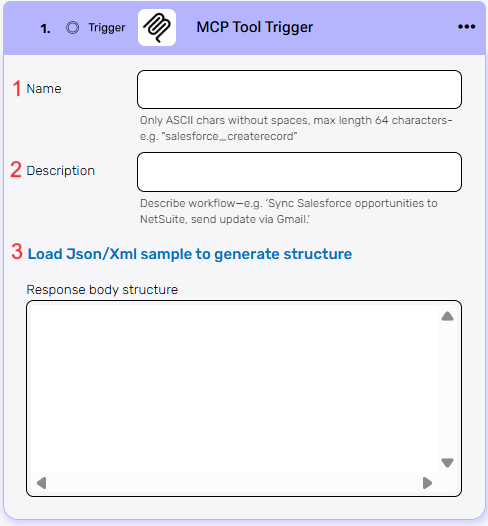
- Name – A unique identifier for your trigger. Use only ASCII characters, without spaces, and up to 64 characters in total.
- Description – A short explanation of what this workflow does. This helps understand the purpose of the trigger.
- Load Json/Xml sample to generate structure – Click to upload a sample JSON or XML response from the MCP tool.
Actions #
MCP Tool Response #
The MCP Tool Response action is used to send a structured reply back to the AI tool that triggered the workflow.
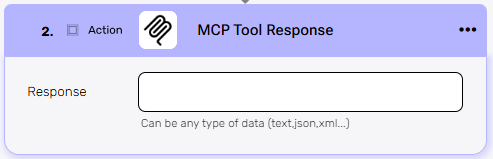
Response – Enter the content you want to send back to the MCP tool.
This field supports all data types, such as plain text, JSON, XML, or other structured formats. The response can include dynamic values taken from previous steps in your workflow.


.png)